Showing posts with label Mapping. Show all posts

Monday, December 23, 2019

Free Map and Demo

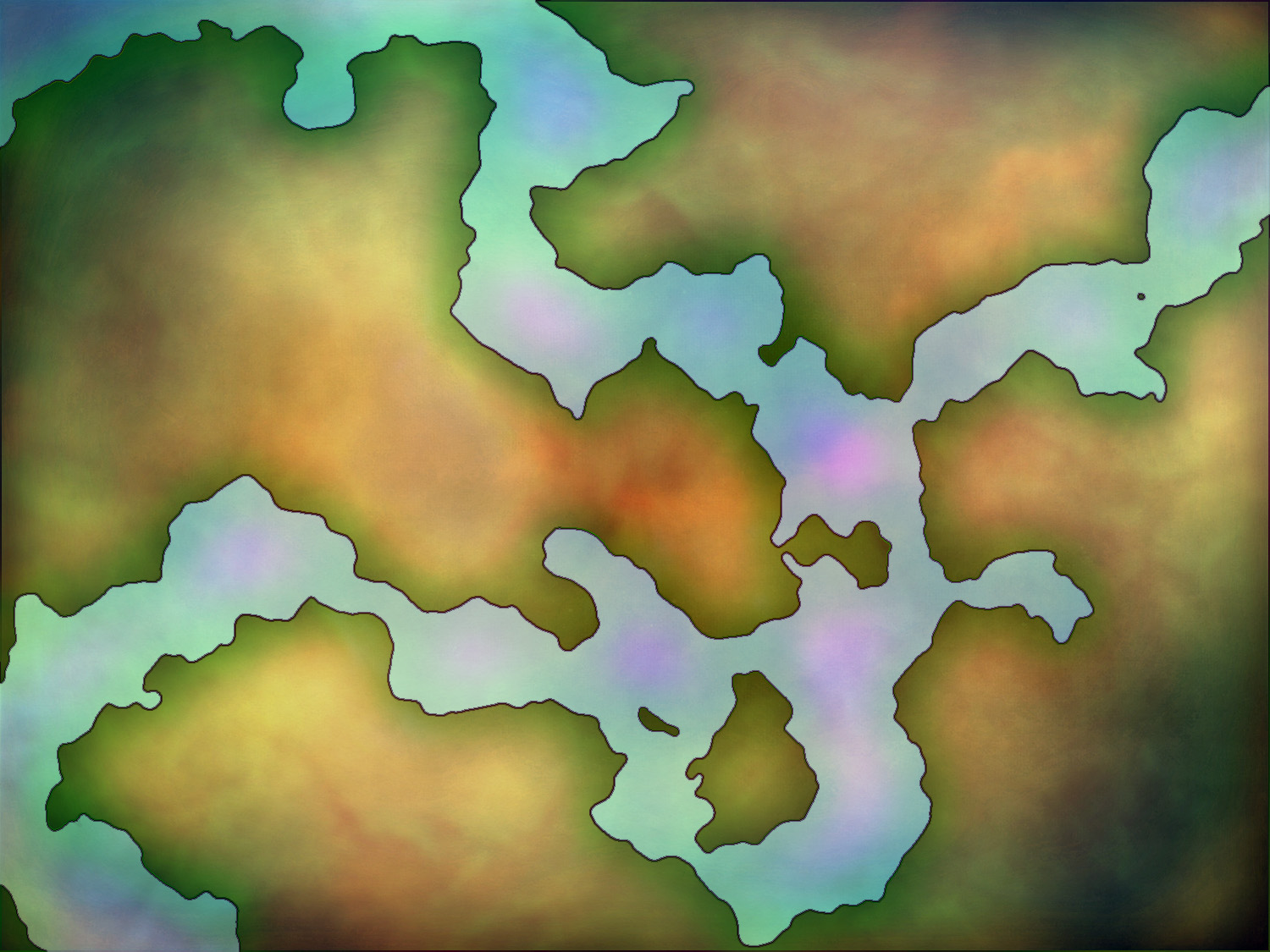
Here is this week's free map for you.  Like all of our Free Map Monday Maps, this map is 100% free for your personal use. It is devoid of city/town markers, mountains, forests, or anything else which leaves you free to add anything you want to the map with ease.


I threw a few settlement icons and mountains on this map to show how easy it is to add a few things to get the map to work for you. It doesn't take much to take a blank map and customize it to be what you need.  I kept the labels off in case you want to use this one as well


Please feel free to leave thoughts on this map or the series of free maps in general in the comments section or email us by clicking on the "Email Us" scroll in the far right hand column.

Thursday, December 19, 2019

Free Blank Campaign Map

Here is this week's free map for you.  Like all of our Free Map Monday Maps, this map is 100% free for your personal use. It is devoid of city/town markers, mountains, forests, or anything else which leaves you free to add anything you want to the map with ease.


Please feel free to leave thoughts on this map or the series of free maps in general in the comments section or email us by clicking on the "Email Us" scroll in the far right hand column.
 
Enjoy!


Thursday, December 12, 2019

Free Blank Map

Here is this week's free map for you.  Like all of our Free Map Monday Maps, this map is 100% free for your personal use. It is devoid of city/town markers, mountains, forests, or anything else which leaves you free to add anything you want to the map with ease.


Please feel free to leave thoughts on this map or the series of free maps in general in the comments section or email us by clicking on the "Email Us" scroll in the far right hand column.
 
Enjoy!


Wednesday, December 11, 2019

Free Blank Map, Feel Free to Use it!

Here is this week's free map for you.  Like all of our Free Map Monday Maps, this map is 100% free for your personal use. It is devoid of city/town markers, mountains, forests, or anything else which leaves you free to add anything you want to the map with ease.


Please feel free to leave thoughts on this map or the series of free maps in general in the comments section or email us by clicking on the "Email Us" scroll in the far right hand column.
 
Enjoy!


Monday, December 09, 2019

Free Blank Map for Your Use

Here is this week's free map for you.  Like all of our Free Map Monday Maps, this map is 100% free for your personal use. It is devoid of city/town markers, mountains, forests, or anything else which leaves you free to add anything you want to the map with ease.


Please feel free to leave thoughts on this map or the series of free maps in general in the comments section or email us by clicking on the "Email Us" scroll in the far right hand column.
 
Enjoy!


Wednesday, December 04, 2019

Free Blank Map

Here is this week's free map for you.  Like all of our Free Map Monday Maps, this map is 100% free for your personal use. It is devoid of city/town markers, mountains, forests, or anything else which leaves you free to add anything you want to the map with ease.


Please feel free to leave thoughts on this map or the series of free maps in general in the comments section or email us by clicking on the "Email Us" scroll in the far right hand column.
Enjoy!

Tuesday, December 03, 2019

Free Blank Map

Here is this week's free map for you.  Like all of our Free Map Monday Maps, this map is 100% free for your personal use. It is devoid of city/town markers, mountains, forests, or anything else which leaves you free to add anything you want to the map with ease.


Please feel free to leave thoughts on this map or the series of free maps in general in the comments section or email us by clicking on the "Email Us" scroll in the far right hand column.
Enjoy!

Wednesday, November 27, 2019

New Free Blank Map

Here is this week's free map for you.  Like all of our Free Map Monday Maps, this map is 100% free for your personal use. It is devoid of city/town markers, mountains, forests, or anything else which leaves you free to add anything you want to the map with ease.


Please feel free to leave thoughts on this map or the series of free maps in general in the comments section or email us by clicking on the "Email Us" scroll in the far right hand column.
Enjoy!

Thursday, June 02, 2011

Spinning Globe Map Followup


I got an email about yesterday's Spinning Hex Globe map.  As the answers might be useful and/or of interest to others as well I thought I would answer them here. 

The Jump 
The first question is about the "jump" in the spinning globe.  If you look at the globe posted yesterday there is a bit of a little glitch on every rotation.  That is because the two ends of the map to not match up perfectly.  It is possible with a little trial and error to loop your map correctly so that you don't experience the jump.  You need to create a map so that both ends match up, much like creating a seamless texture. 

Slow Rotation
The second question was whether the speed at which the globe is spinning is alterable.  The one I posted was fairly slow, and the reader was looking for a lot more speed.  This is easily doable through the animation menu.  All one need do is turn the animation time down.  The lower the animation time (the amount of time between the two points) the faster the globe will spin. 

More Map
The final question of interest was whether one can add more to the map.   The answer again is, yes.  You can create additional art around your globe and create a number of really cool effects. The only thing that will limit you is time and imagination. 

Example
To demonstrate the answer to all three of the above questions I have created a little example using the same globe I used yesterday.  I messed around with the edges to make it seamless and eliminate the jump, I turned down the animation time to make the globe spin much faster, and I created a little space scene.

This is just a quick example, but if there is interest I can make a more complex one. I'm always happy to share my fledgling knowledge so if anyone has any additional questions please do not hesitate to leave it in the comments section, or email me.

Wednesday, June 01, 2011

Spinning Hex Globe


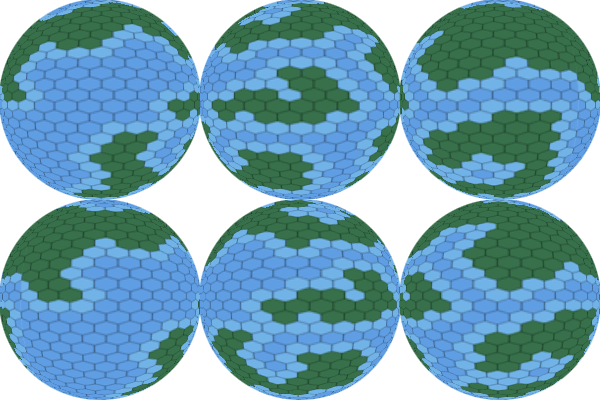
I wanted to quickly answer a question by one of our readers from yesterday.  Shinobicow wanted to know whether it was possible to make the Hex Globe map depicted on the right into a spinning globe. 

The short answer is yes, it most certainly can be done.  How to do it would require a much longer answer and I am generally terrible at tutorials.   It involves converting your hex map into a smart object and using the animation menu which can be found under the windows menu. 


I had to make a few small modifications to the above map to demonstrate, but here is an example of a spinning globe map made in photoshop.  

I don't make too many animated maps, but if you have taken time to map our an entire world in painstaking detail then why not create a cool spinning globe with it? 


As I said I'm not very good with tutorials, but here is a rundown of the steps you need to take

  • Have your basic map set.
  • Create a new document.
  • In the new document add a new layer and make it a smart object.
  • Double click on the smart object icon in layers pane to begin workin in the object.
  • Drag your original map into the smart object layer.
  • Use the animation menu to move the picture from left to right (or right to left if you prefer)
  • Save the smart object.
  • Turn your map into a globe using the spherize filter (Filter>Distort>Spherize).
  • Use the eliptical marquee tool to select only the globe.
  • Add a layer mask to cover up the non-globe parts
  • Save the project as a Gif using the "Save for Web & Devices Option"
  • Select Forever looping.
  • Save and enjoy.

Tuesday, May 31, 2011

Free Map Rejects


Normally Monday is our day for maps, but today I want to discuss the dark side of Cartography.  A sad secret that every map maker knows is that not every map that is started is finished.  Inevitably you get to a point where you just give up on a map for one reason or another, chalk it up to a loss, and move on to your next project.  Trying to do a free map every week kind of presses me for time so I'm always hesitant to drop a project mid way though, but it has definitely happened. 

Here are three of those stories.


Root Wyrm

When I started making maps I love Satellite Style mapping.  Those of you unfamiliar with the term need only go to Google Maps and click Satellite Map to see what I mean.  However, the more I made those maps the more I felt that less is more.  I found more and more than I enjoyed looking at old maps where you got a sense that all the information wasn't necessarily correct.  At a certain point I all but gave up on the style and moved on to a more antiquated look.

A couple of weeks ago I decided I would try to get back to my roots and create a map in Satellite style for a change of pace.  I just figured I just right back into it figuring that it was like riding a bike.  It wasn't.  I had a lot of trouble with the map and things got irritating quickly.  Finishing the map became a lot like trying to slay a Dragon; a fun challenge but not always worth what it costs you.  In the end I gave up on it and moved onto other projects, but you can have a look at where I was when I finished.


A Hex on You!

I've been messing around with Hexes a lot lately.  I've found them to be both useful and a fun change of pace from a standard square grid.  I was looking at some Hexographer maps and wondered if I couldn't do the same thing in Photoshop with more detail and in a globe form.  

To make a long story short I did get the map going.  I got a hex map into globe form and was well on my way to a fairly interesting map when my power went out.  Save early and often, folks, or suffer similar heartbreak.  After cursing my computer, power company, and own foolishness I had to walk away.  I did have an early and more or less blank version of the map which I will share with you.


Ah, Frack It!

Campaign Cartographer is a pretty popular program among Gamer cartographers and for good reason.  It is a powerful program that can do a number of cool things and certainly is a boon to anyone who can't draw particularly well.  Profantasy, the company that produces CC also makes another program that I've actually come to like better called Fractal Terrain.  The reason for that is because I can do a lot of CC things in Photoshop or Illustrator, but I can't do what FT does.  

Anyway I took one of the maps I had generated in FT and was determined to improve on it using Photoshop.  The map I made was pretty massive so I just focuses in on one area, a large lake, and started creating the massive watershed that flowed into the lake.  I was at it for a while, but had seemingly no end of problems with this map.  Eventually I cursed and just gave up in frustration.  

Thursday, May 19, 2011

This Map is Kicking My Ass


I've taken a couple of stabs at creating a map for the Mercenary Campaign I've been working on on and off.  Each version seemed to be worse than the last, but I got off to a promising start with a new version but as I said in the tittle, this map has been really kicking my ass.  I scrapped everything down to the base land layer twice and I've gone back and forth on everything from color to labeling.  This is what I have to show for it:


The map depicts an empire modeled after the Holy Roman Empire.  The names are lifted from various maps of Germany. 

There's still something about this map that is bugging me, but I can't quite put my finger on it. 

Tuesday, May 03, 2011

Free Map Mondays... On Tuesday


Oops.

Our weekly free map is usually posted on Monday, hence the name Monday Maps, but unfortunately I didn't finish it in time to have up yesterday.  On the bright side it's finished now and even looks pretty good.

This map depicts a lone continent or island (scale bar left off).  Like all of our Free Maps this map is totally free for your personal use.  No labels have been added, so you are clear to add your own with all your own carefully crafted names for towns, castles, or whatever else you can imagine. 

Enjoy and sorry for the delay!


Thursday, April 21, 2011

Fun With Hexes


Normally we only do maps on Mondays, but today I was messing around with a map of mine and ended up with something I thought was worth sharing.  I started by just messing around with the colors of the map, adding a lot of saturation to the land mass, taking some away from the water, removing a lot of the land elements like castles, mountains, hills etc, and finally adding hexes.  Hexes are great for tracking overland movement so I think I may get some very practical use out of this map.  When I was done I actually added a second layer of hexes over it to group the smaller hexes together.  This second layer of hexes should help when calculating long distances and determining large scale effects like weather and trade.

For those who haven't seen it here is the normal version of the map.

Tuesday, March 22, 2011

Google Maps is the Best Mapping Resource You Aren't Using


If you aren't using Google Maps to procure maps for your games then let me tell you a secret... Google Maps is the Best Mapping Resource You Aren't Using.  Regardless of the genre of game you are playing there are maps out there got you. 

Here is an example.


I got this map from Google Maps Terrain View, and though I made a few changes it remains basically the same.  Do you know where this is?  Most probably don't...


However, if you enjoy the works of H.P. Lovecraft you know the area, it's Essex County, part of an area known as Lovecraft Country.  I am working on this map for the Sons of Ipswich game I'm working on.

You don't need to be playing a Call of Cthulhu game, or really any game that takes place on earth, to take advantage of real world maps.  Had I labeled the above map with a series of fantasy names and said it was the Barony of Kravoria how many would have known it was actually a real world location?  If my group was from Essex Country obviously they would, but if that were the case I could just use a map from Germany, New Zealand or any location which your players are unfamiliar with.

The level of detail in terms of things like topography and climate is extremely high and is there for the taking.  Why not take advantage? 

A map of part of Southern New Zealand...

...or a Fantasy Realm?

Tuesday, March 08, 2011

Mythos Map


I had some inspiration lately to design a Call of Cthulhu campaign.  Part of the inspiration came with taking a quick shot at making a map so I figured I'd share since it came out pretty cool.  

I piggybacked a lot on the same techniques used to create our most recent Free Map so it didn't take nearly as long as it would have.  The map is meant to show various points where investigators have identified Mythos activity.  As one might expect, the largest concentration appears in "Lovecraft Country" which is real life Essex Country Mass.  That is where the bulk of Lovecraft's fictional towns such as Arkham and Innsmouth are said to be. 

Thursday, February 03, 2011

New Old Map


Starting a map is much easier than finishing one.  This fact is never so true as when to are working a map that you really love.  The more time and work you put into the it the more there is to do.  You like something, then decide you can do it better so you go and change it.  You think of another thing to add so you go and work it in messing up a host of other things you've done previously so you redo them all to match the new thing.  On and on it seems to go.

That's kind of where I am with my Caliburn map.  I've been working on it on and off for months now and have made so many changes that it barley resembles the map I started with.  Maybe I'll never be done with the damn thing, maybe I'll keep going back and making little changes here and there, but every time I do go back and redo the map it really seems to get better.  

This latest, and possibly final version, deals with a host of problems that the previous version had.  One of them was the transparent mountains and hills which caused the political lines to look a little silly.  I fixes that problem and made the towns, castles, and other settlements stand out more on the map by giving them a fill as well.  I also did some altering to the coastline, filled in the forests, and added some additional labeling. One of the things I tried to do but still seem unable to pull off are roads.  They just never seem to look right for some reason.  If I add anything else that will certainly be at the top of the list.


Monday, January 31, 2011

Map: The Lair of the Fomorian King


While it's true that I still haven't finished my 30 minute map tutorial I did find time to start another experiment randomly generating maps using clouds.  In this map I used clouds to randomly generate a cavern complex.  The random cavern only took about 5 minutes but I added some water and other window dressing.  Total time was about 15 minutes. 


Overall the cloud rendering works really well for making caverns and connecting the passages and chambers using the eraser tool is a simple thing.  This could turn out to be a great resource for quick random dungeon design.

Monday, November 15, 2010

30 Minute Map Referendum


Still chipping away at the 30 minute map tutorial.  The damn thing just seems to keep changing in an attempt to streamline and simplify things.  I also don't think I have a gift for writing these things in a way that is easy to comprehend. 

The changes I've made have made the map look a little different, but I'm not sure if it's for the better or worse. Here is the original map I posted last week...


And here is the newer, more simplified version...


What is the general preference?  Try to ignore the window dressing and color palate differences and choose which style you would rather have for your game. 

Once I have a general idea where the preference is I'll go from there.  

Tuesday, November 09, 2010

30 Minute Map: A Preview


I was looking back at my five minute map tutorial the other day.  While I think it was great and I got a lot of great emails from people that it helped, it got me thinking what else was possible given a short amount of time and little to no artistic talent (the latter being something which I am well known for). 

So I am now working on a new technique called the thirty minute map.  Like the five minute map it relies on Photoshop to randomly generate terrain through the rendering of clouds.  However, unlike the five minute map, it allows for more detail, and for the map to be made on more of a regional scale. 

I'm still working out a few kinks and cutting the fat out of the process, but I thought I'd give a preview of what a test map using the technique looks like.  


Keep an eye out for the final technique coming soon!